
Windows Media Player Media Sharing Disabled
If you try and share Windows Media Player content in Windows Vista, you might get the following warning:
Your network is a public network. Sharing is disabled to protect your privacy. If you consider this to be a private network, change network setting
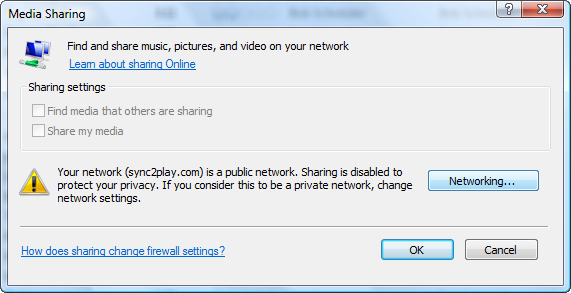
You can fix this by clicking on the Networking button on the warning, then clicking Customize next to the information about your network to change from Public to Private.
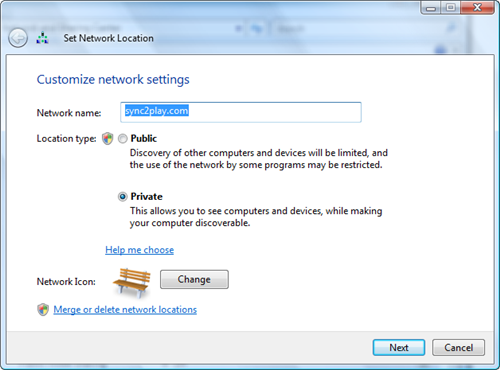
You'll then need to go back to Windows Media Player and turn on sharing.


0 comments:
Post a Comment